






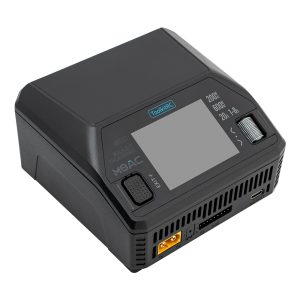





Pls donwload from: https://download.toolkitrc.com/m6d/
Tip: There are 2 ways can check your charger’s firmware belong to version V1 OR V3:
- When charger power on, the firmware version will display on lower right corner for 3 seconds.
- Long press the “scroll wheel” enter into setup page, and then go to the last line, here can find ID and firmware version.
===M6D V3.15===2025.02.22=== - Fixed the problem that some internal resistance values are not refreshed during the internal resistance test.
- Fix the error of the current selection list name and icon in smart battery mode.
- Added a dynamic red letter prompt that is not connected to the balance port.
- Modified the position of the cursor when the charging stop is made to achieve a fast stop.
- Added the sleep energy saving mode can be set, you can set the time to turn off and modify the sleep.
- Fixed the bug that the recycling mode appeared in adapter mode.
- Fixed the crash issue under Russian language.
- Fixed the problem that the cursor may be lost when the channel selection state is in place.
- Fixed the issue that the default state was restored but the brightness and sound were not refreshed.
3 thoughts on “M6D has new firmware upgrade”
Yea, my charger not appear on pc , what i can do ?
Hello, you must press and hold the EXIT button while connecting to the computer to enter firmware update mode.
Firmware upgrade Tutorial:https://www.youtube.com/watch?v=GZG9Q36vgmA